
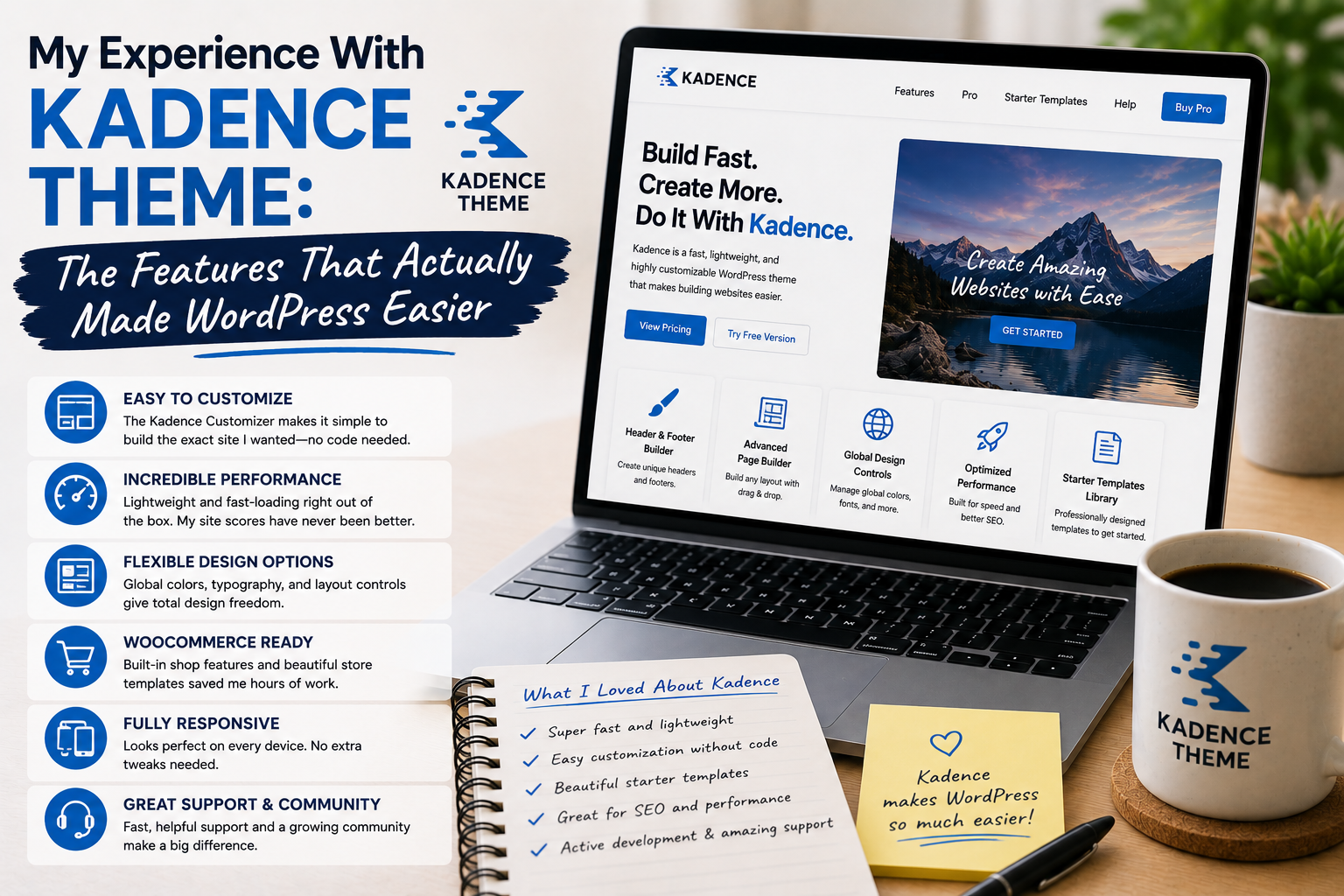
When I first heard about Kadence Theme, I was looking for something fairly simple: a WordPress theme that would make website management easier rather than giving me another complicated system to learn.
I had already tried themes with enormous numbers of settings, elaborate demos, and countless customization options. Some were powerful, but I often felt that I was spending more time configuring the theme than creating content.
That made Kadence interesting to me.
I decided to use it on a real website and pay attention to the features I actually used every day. After several weeks, I found that some of its seemingly simple tools had a bigger impact on my workflow than the flashy features I had previously chased.
Why I Chose Kadence
My main goal was flexibility without unnecessary complexity.
Kadence is available as a free WordPress theme, with additional premium functionality available through Kadence products. Its official WordPress listing describes it as a lightweight theme with a drag-and-drop header and footer builder, global color and font controls, and integrations with popular plugins.
Those were exactly the kinds of features I wanted to test.
I was not looking for a theme that would completely redesign my website automatically.
I wanted a solid foundation that would let me make practical changes easily.
Installation Was Simple
Getting started was straightforward.
I installed Kadence through the WordPress dashboard and activated it.
The initial design was clean, but it did not immediately look like the polished demonstrations I had seen online.
That did not bother me.
I actually preferred starting with a relatively simple foundation and gradually building the design around my own content.
Within a short time, I began exploring the customization options.
The Header and Footer Builder Stood Out
One of my favorite features was the header and footer builder.
These areas of a website are easy to overlook until you need to customize them.
With Kadence, I could arrange different elements in the header and footer and control how they appeared.
This was useful because I could create a navigation structure that matched the actual purpose of the website rather than accepting a fixed arrangement.
I also liked being able to think about desktop and mobile layouts separately.
That made the navigation feel more intentional.
Global Colors Made Design Easier
Another feature that genuinely improved my workflow was global color control.
Instead of manually changing colors across individual sections, I could establish a consistent color palette.
This became particularly useful when I decided to modify the website’s visual identity.
Changing a primary color could be much faster than searching through individual pages.
It also helped maintain consistency.
I learned that a website does not need dozens of colors to look professional. A small, well-chosen palette often works better.
Typography Made a Bigger Difference Than Expected
Typography was another area where Kadence made website management easier.
I could establish font settings and adjust headings and body text without repeatedly editing individual elements.
The result was more consistent.
This also changed the way I thought about theme design.
I used to focus heavily on images and decorative elements.
Now I pay much more attention to typography, spacing, and content width.
Those small details can dramatically influence how comfortable a website feels to read.
I Appreciated the Simplicity
One of the biggest advantages I noticed was that I did not feel pressured to activate every possible feature.
The theme provided useful customization tools, but I could keep my setup relatively simple.
This was important because I had previously experimented with themes that encouraged me to add features simply because they were available.
With Kadence, I found myself asking a different question:
Will this feature actually improve the website?
If the answer was no, I left it alone.
That helped keep the design cleaner.
Testing Mobile Layouts
Mobile responsiveness was another major part of my testing.
I checked navigation menus, headings, buttons, images, columns, and spacing on smaller screens.
The ability to customize layouts made it easier to address differences between desktop and mobile presentation.
However, I still learned an important lesson: a theme being responsive does not mean every website will automatically look perfect.
Your actual content needs testing.
A long title, large image, or third-party plugin can behave differently from the examples shown in a theme demo.
Performance Was Important
Kadence’s lightweight approach was another reason I was interested in testing it.
The official WordPress listing emphasizes performance and describes the theme as lightweight.
My experience reinforced the idea that a theme is only one part of website performance.
Hosting, plugins, images, caching, scripts, and configuration also matter.
I therefore tried to keep the website’s overall setup clean.
I avoided installing unnecessary plugins and optimized large images before uploading them.
Plugin Integrations Were Useful
Kadence also provides integrations with popular WordPress plugins, including WooCommerce and other tools.
This was useful because I did not want the theme to become an isolated part of the website.
A good WordPress theme needs to coexist with the other tools that power the site.
For an online store or business website, this flexibility can become especially valuable.
What I Found Challenging
Kadence was not completely effortless.
Some customization settings took time to understand, especially when I wanted precise control over different areas of the site.
I also discovered that making too many design changes could quickly make the website inconsistent.
The solution was not another plugin or more settings.
It was planning.
Once I established basic typography, colors, spacing, and navigation rules, the customization process became much easier.
Free or Premium?
My experience made me think that the free version is a good place to start.
Not every website needs premium features.
If the free theme already provides the functionality required for a simple blog or business website, upgrading may not be necessary.
Premium features become more interesting when you need additional design controls, advanced functionality, or features that can save you significant time.
I would therefore recommend testing the free version before deciding whether an upgrade makes sense.
Where to Download Kadence
For the free version, I recommend using the official WordPress Theme Directory:
Download Kadence Theme from WordPress.org
For premium products and additional Kadence features, use the official Kadence website:
Explore Kadence Premium Products
I would avoid unofficial, cracked, or “nulled” theme files. Apart from licensing concerns, modified WordPress files can introduce security and maintenance risks.