
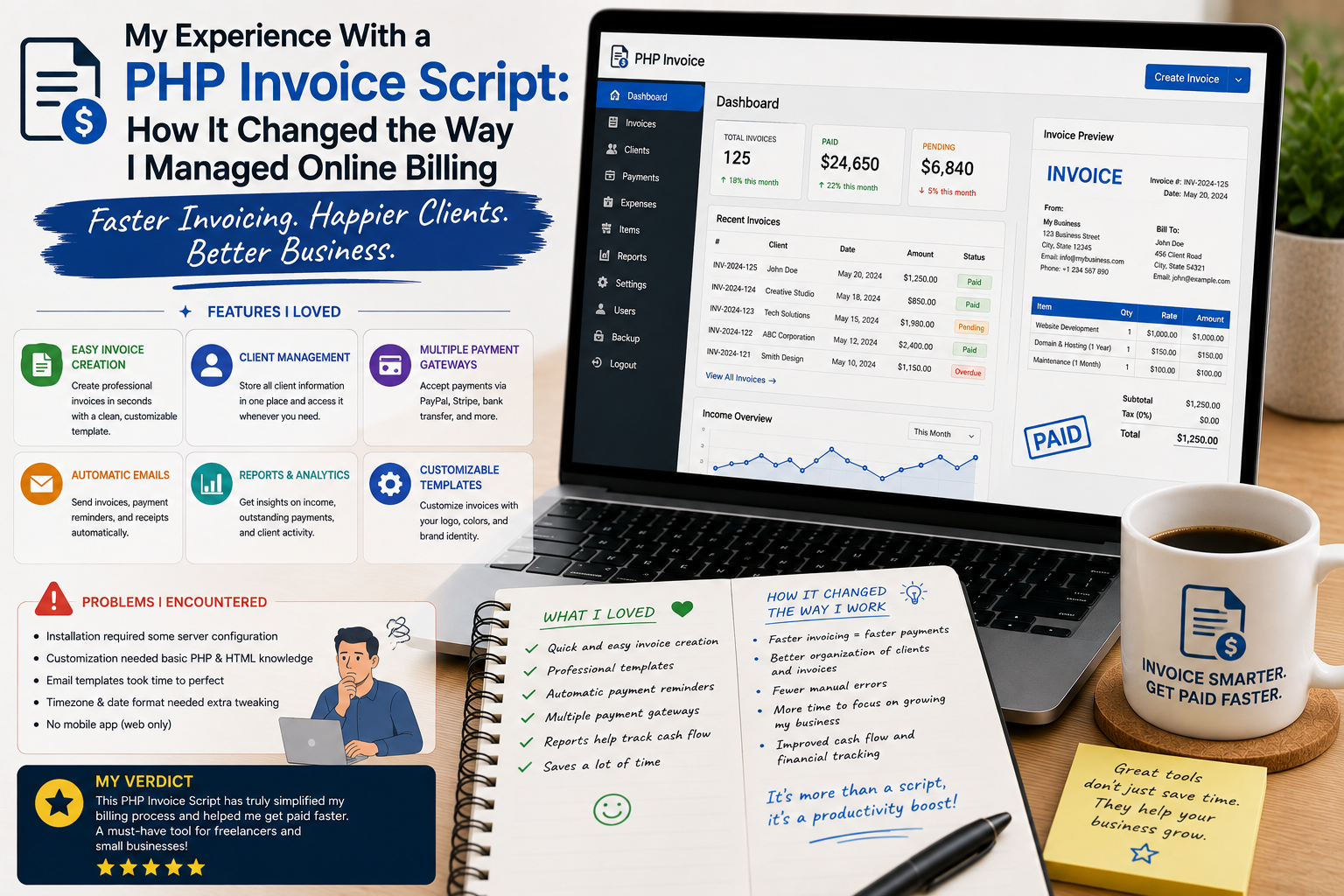
For a long time, I managed invoices using a combination of spreadsheets, text documents, and manually written emails. It worked when I had only a few customers, but as the number of transactions increased, the process became increasingly difficult to control.
I started making small mistakes, spending too much time creating invoices, and searching through different files to find old billing information.
That was when I decided to try a PHP invoice script.
I was curious whether ready-made billing software could actually make my workflow easier or whether configuring it would create more work than it solved. After using one for a real project, I discovered that automation could make a significant difference—but only when the system was properly planned.
Why I Needed an Invoice System
My biggest problem was organization.
Every invoice contained similar information, yet I was repeatedly creating the same layouts manually.
I also needed a reliable way to keep track of customers, invoice numbers, dates, amounts, payment status, and previous transactions.
A PHP invoice script offered a way to put these tasks into one web-based system.
There are many invoice and billing scripts available through commercial marketplaces, including PHP applications designed for invoicing, estimates, customers, payments, and financial record management.
Instead of building all those functions from scratch, I wanted to start with something that already had the basic structure.
Installation Was the Easy Part
The installation process was relatively straightforward after I checked the server requirements.
I configured the database, uploaded the application files, and completed the initial setup.
However, I quickly learned that technical installation was only the beginning.
The more important question was whether the system matched my actual billing workflow.
That meant reviewing invoice layouts, customer records, payment statuses, tax settings, and other options.
Creating My First Invoice
Creating my first invoice through the system felt much easier than preparing one manually.
I could select a customer, add products or services, enter quantities and prices, and generate the invoice using a consistent format.
The biggest advantage was repeatability.
Instead of designing the invoice from scratch every time, I had a standardized process.
That reduced repetitive work and made the invoices look more professional.
Automatic Invoice Numbers Were a Small but Important Improvement
Before using the script, I sometimes had to think about invoice numbering manually.
The automated numbering system removed that small task from my workflow.
It also made it easier to organize invoices chronologically.
I quickly realized that seemingly minor automation can save a surprising amount of time when repeated dozens or hundreds of times.
Customer Records Made Everything More Organized
Another feature I appreciated was centralized customer management.
Instead of searching through separate spreadsheets or email conversations, I could find customer information in one place.
Depending on the script, customer profiles can include contact information, invoices, payment records, and other details.
This changed how I handled repeat customers.
I no longer needed to recreate basic customer information every time I issued a new invoice.
I Learned That Invoice Design Matters
Initially, I thought an invoice only needed to contain the correct numbers.
Then I started looking at the documents from a customer’s perspective.
Was the business name easy to identify?
Was the invoice number clear?
Were the services easy to understand?
Was the total amount obvious?
Were payment instructions visible?
A good invoice should answer those questions quickly.
I therefore spent time adjusting the invoice layout and removing unnecessary information.
Payment Tracking Became Much Easier
One of the most useful features was payment status tracking.
Instead of maintaining a separate list of paid and unpaid invoices, I could use the application to monitor their status.
This helped me identify outstanding invoices more quickly.
It also made follow-up easier because I could see the relevant billing information without searching through multiple files.
Automation Changed My Workflow
The biggest improvement came from reducing repetitive tasks.
A typical billing process might involve creating an invoice, saving it, sending it to a customer, recording its status, and later confirming payment.
A well-configured invoice system can bring many of these steps into one workflow.
Some commercial PHP billing scripts also support recurring invoices, online payments, PDF generation, estimates, and customer portals, although exact functionality varies by product.
I learned that automation is most useful when it removes repetitive administrative work without making the workflow more complicated.
Customization Was Not Always Easy
The biggest challenge came when I wanted the invoice to look exactly the way I imagined.
Basic settings were relatively easy.
More advanced changes required understanding the application’s PHP structure and templates.
This reminded me that purchasing a ready-made script does not mean customization will require zero technical knowledge.
If a business needs extensive modifications, it is important to consider the framework, source-code availability, documentation, and developer support before purchasing.
Email Delivery Needed Testing
I also learned not to assume that invoices would automatically reach customers.
Email delivery depends on server and SMTP configuration, among other factors.
I sent test invoices to several email accounts and checked the formatting.
This was important because an invoice that is generated correctly but never reaches the customer is not particularly useful.
Security Became More Important
An online billing system can contain customer names, email addresses, addresses, transaction information, and financial records.
That means security needs to be taken seriously.
I made sure to use strong administrator credentials, keep the application updated where updates were available, maintain regular backups, and use secure hosting.
I also avoided installing unofficial modifications.
A nulled PHP invoice script may contain unknown code, which is a particularly bad risk for an application handling business and customer information.
The Database Became an Important Asset
Before using the invoice script, I thought mostly about the invoice documents themselves.
Afterward, I realized that the underlying database was just as important.
Customer records, invoice history, payment status, and configuration information can represent years of business activity.
That made regular database backups a priority.
Where to Download a PHP Invoice Script
If you want to explore ready-made PHP invoice and billing applications, CodeCanyon offers a selection of commercial PHP scripts:
Browse PHP Invoice and Billing Scripts on CodeCanyon
Before purchasing, I recommend checking the application’s PHP version requirements, database requirements, framework, documentation, update history, support policy, license, and included features.
Do not select a script simply because it has the longest feature list.
Choose one that matches your actual billing workflow.
For security reasons, I strongly recommend downloading scripts only from legitimate sources and avoiding cracked or nulled versions.
What I Would Do Differently
If I were starting again, I would define my billing process before selecting the software.
I would determine:
- What information every invoice needs
- How invoices should be numbered
- Which currencies are required
- Whether taxes need to be displayed
- How payments will be recorded
- Whether recurring invoices are necessary
- How customers receive invoices
- How long financial records should be retained
- How backups will be handled
This would make the selection process much easier.