
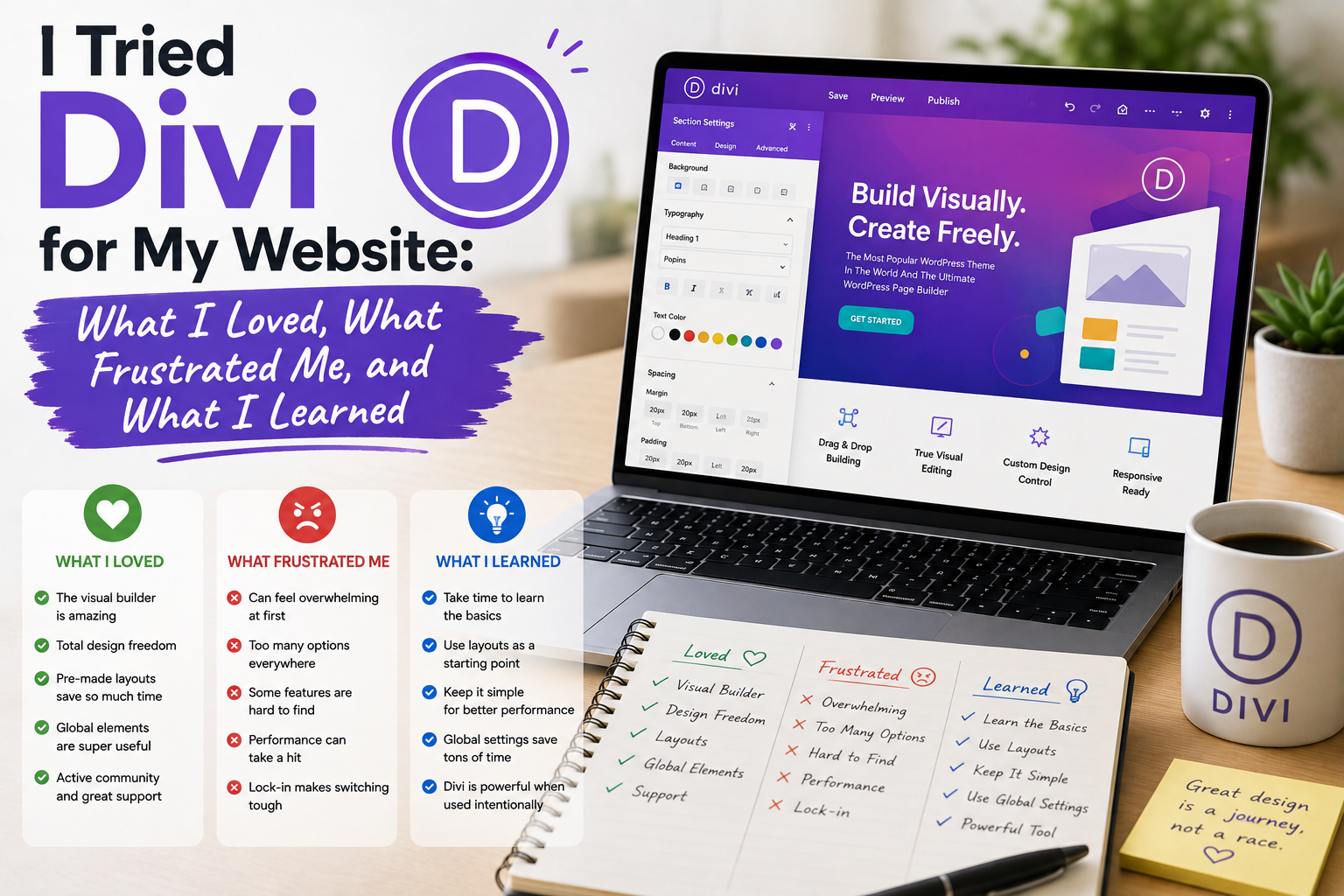
When I decided to try Divi on one of my WordPress websites, I had mixed expectations. I had seen plenty of impressive demonstrations featuring attractive layouts, animated elements, and polished pages. However, I knew that a theme could look fantastic in a demonstration and still be frustrating during everyday use.
So I decided to use Divi as part of a real website project rather than simply judging it from screenshots.
My experience was a mixture of convenience, creativity, learning curves, and a few moments when I wondered whether I was making things unnecessarily complicated.
Why I Tried Divi
My main goal was to have more control over page design.
With some traditional WordPress themes, I often felt restricted by predefined layouts. I wanted to experiment with landing pages, content sections, buttons, images, columns, and other visual elements without constantly editing code.
Divi appealed to me because it combines a WordPress theme with a visual builder. Elegant Themes describes Divi as a visual website-building platform that allows users to design pages directly on the front end.
That approach was exactly what I wanted to test.
Getting Started Was Relatively Easy
Installing Divi was not particularly difficult.
After obtaining the theme from the official source, I uploaded it to WordPress and activated it.
The real learning process began afterward.
Divi presents a visual editing environment with many design controls. Instead of immediately understanding everything, I spent some time exploring the interface.
At first, there were more options than I expected.
But after creating a few sections, I became increasingly comfortable with the workflow.
What I Loved: Visual Editing
The feature I enjoyed most was the visual editing experience.
I could see changes while making them rather than repeatedly switching between an editor and a preview.
Changing spacing, fonts, colors, backgrounds, columns, and other design elements felt intuitive once I became familiar with the interface.
This was particularly useful when creating landing pages.
Instead of imagining what a change might look like, I could make the adjustment and immediately see the result.
That made designing feel more like working with a visual tool than managing a traditional WordPress template.
The Layout Library Was Helpful
Another feature I appreciated was the availability of pre-designed layouts.
Starting with a blank page can sometimes be intimidating.
A ready-made layout gives you a structure that can then be customized.
I did not use the layouts exactly as provided.
Instead, I treated them as starting points.
I replaced images, changed typography, reorganized sections, and adjusted colors to match my website.
This saved time and gave me ideas for page structures I might not have designed myself.
What Frustrated Me: Too Many Options
The biggest frustration was also related to Divi’s greatest strength.
There are a lot of settings.
For someone who enjoys customization, that can be exciting.
For someone who simply wants to publish an article, it can feel excessive.
I occasionally found myself adjusting details that were not particularly important.
Eventually, I created a personal rule: if a setting does not improve usability, readability, or the purpose of the page, I leave it alone.
That simple approach made the builder much easier to manage.
Performance Required Attention
Another thing I paid close attention to was performance.
A visual builder can provide a huge amount of design flexibility, but website performance depends on the complete setup.
Hosting, plugins, images, caching, scripts, fonts, and page structure can all affect loading times.
Elegant Themes provides performance-related features and optimization options for Divi, but I still found it important to avoid unnecessary elements.
My lesson was simple: design freedom should not become an excuse for adding everything to a page.
A clean page can look better and be easier to maintain.
Mobile Editing Was Important
One feature I found particularly useful was being able to think about different screen sizes.
A layout that looks excellent on a desktop monitor can become awkward on a smartphone.
I therefore spent time checking headings, buttons, columns, images, and spacing on smaller screens.
This became part of my normal workflow.
Instead of designing for desktop first and forgetting about mobile, I began considering responsive behavior throughout the design process.
I Learned to Build Reusable Sections
After using Divi for a while, I realized that repeatedly creating the same elements was inefficient.
Reusable layouts and design elements became much more valuable as I worked on additional pages.
This helped maintain consistency.
For example, instead of designing similar call-to-action sections from scratch, I could reuse an existing structure and modify the content.
That saved time and made the website feel more consistent.
Divi Changed How I Think About WordPress
Before using Divi, I thought of WordPress primarily as a content management system where the theme provided most of the design.
After using it, I began thinking more about WordPress as a visual design environment.
That shift was useful.
I could experiment with page structures much more quickly.
However, I also learned that flexibility requires discipline.
Without a clear design approach, it is easy to create pages that contain too many fonts, colors, animations, and visual elements.
Would I Recommend Divi?
My answer depends on the type of website.
For users who want detailed visual control and enjoy designing pages, Divi can be a powerful option.
For someone who wants a very simple blog with minimal customization, it may offer more functionality than necessary.
I would also recommend spending time learning the builder before attempting to create a large website.
A little practice can make the interface feel significantly less complicated.
Where to Download Divi
If you want to try Divi, I recommend getting it directly from Elegant Themes, the official developer.
Download Divi from Elegant Themes
Avoid downloading unofficial, cracked, or “nulled” versions. Besides licensing concerns, modified WordPress theme files can contain unwanted changes and create security or maintenance problems.
What I Learned From the Experience
My Divi experiment taught me several useful lessons.
First, visual editing can dramatically speed up website design.
Second, having many features does not mean I need to use all of them.
Third, responsive design should be tested rather than assumed.
Fourth, website performance requires attention regardless of the theme or builder.
Finally, reusable designs can save significant time when managing multiple pages.