
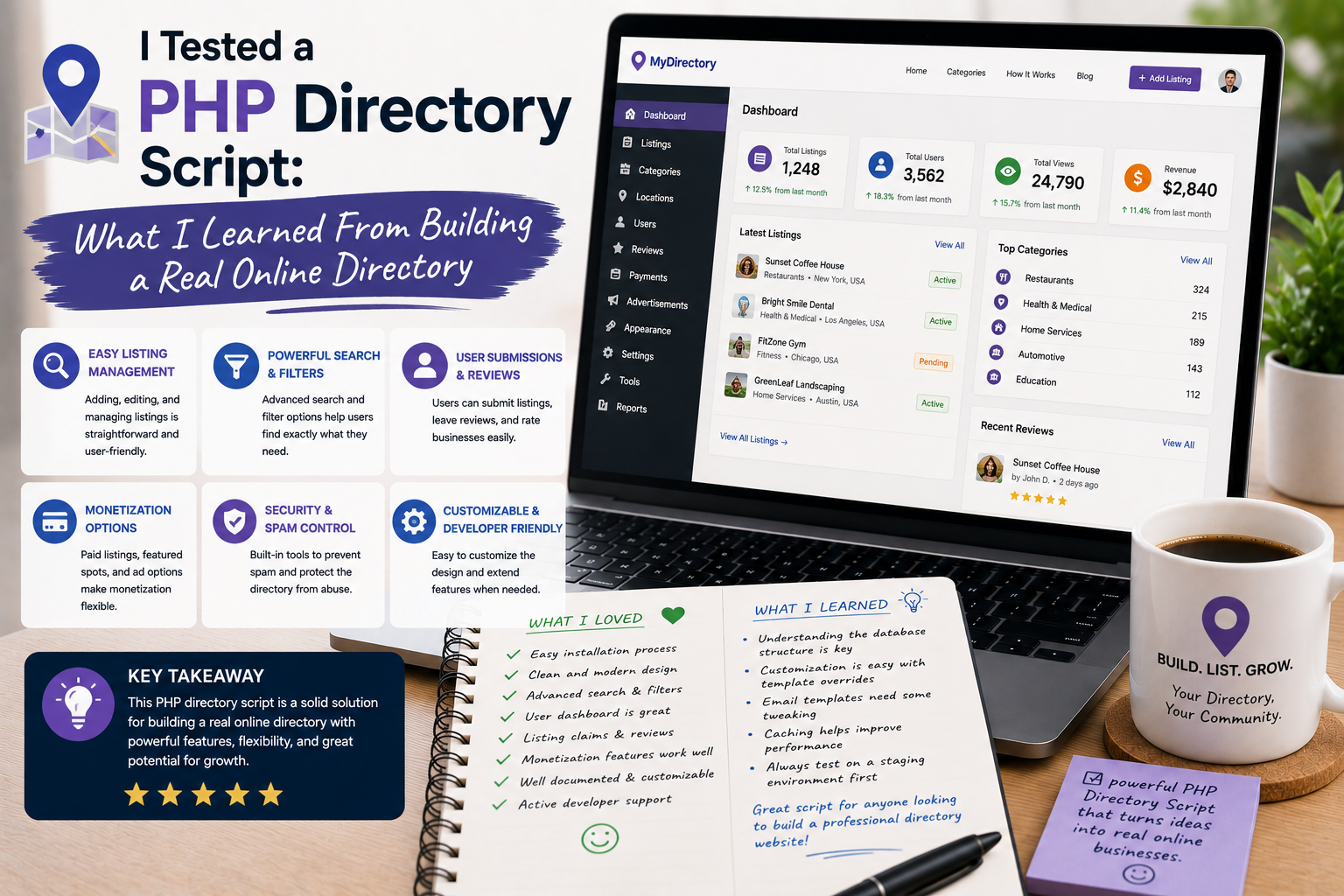
Building an online directory had been on my project list for quite some time. I wanted to create a website where visitors could search for businesses, services, or locations and quickly find useful information.
At first, I thought developing a directory would mainly involve creating a database and displaying records. After trying a PHP directory script on a real project, I discovered that the database was only one small part of the challenge.
Search, categories, listings, user submissions, administration, images, mobile design, and performance all needed to work together.
That experience taught me several valuable lessons about building directory websites.
Why I Tried a PHP Directory Script
My original plan was to develop the entire system from scratch.
I could create PHP pages and MySQL tables, but I quickly realized how much repetitive development would be required.
A typical directory needs listing management, categories, search functionality, user accounts, forms, image uploads, administration tools, and sometimes reviews or maps.
Rather than rebuilding every feature myself, I decided to test a ready-made PHP directory script.
There are currently many directory and listing scripts available through marketplaces such as CodeCanyon, including solutions built with PHP, Laravel, CodeIgniter, and MySQL.
Installation Was Only the Beginning
The installation process was relatively straightforward once the server requirements were understood.
However, I quickly realized that installing the script was not the same as creating a useful directory.
The default installation gave me the technical foundation, but I still had to configure the website around my particular idea.
I needed to think about categories, listing information, navigation, search behavior, and the type of visitors I wanted to attract.
This was my first major lesson:
A ready-made script can accelerate development, but it cannot replace planning.
Creating My First Listings
Adding the first few listings was exciting.
I could enter names, descriptions, contact information, images, categories, and other details depending on the script’s available features.
At this point, I began thinking less like a developer and more like a directory visitor.
If I were searching for a local business, what information would I want to see first?
Would the address be easy to find?
Could I understand what the business offers?
Was there enough information to decide whether to contact it?
Those questions influenced how I structured the directory.
Categories Became Extremely Important
One thing I underestimated was the importance of categories.
At first, I created categories based on what seemed logical to me.
After adding more listings, I noticed that some categories overlapped.
This could make navigation confusing.
I eventually created a clearer hierarchy and tried to keep categories specific enough to be useful without creating dozens of nearly empty sections.
That experience taught me that directory organization should be planned before adding hundreds of listings.
Search Was More Important Than I Expected
A directory can contain thousands of listings, but those listings are not very useful if visitors cannot find what they need.
I therefore spent a lot of time testing the search experience.
I tried different keywords, category combinations, locations, and partial searches.
I also considered how users might search differently.
One person might search for a business name.
Another might search for a service.
Someone else might search for a location.
That made me realize that search functionality should reflect real user behavior rather than simply matching database fields.
Location Data Added Another Layer
When building a directory for local businesses, location information can become particularly important.
Addresses, cities, states, ZIP codes, maps, and geographic search can all become useful components.
I discovered that location data needs consistency.
If one listing uses “New York City” while another uses “NYC” and another uses an incorrect spelling, search and filtering can become less reliable.
Standardizing data became an important part of maintaining the directory.
Images Made Listings More Attractive
Adding images significantly changed the appearance of the directory.
A listing containing a good logo or photograph looked much more useful than one containing only text.
However, I also learned that large images can affect website performance.
Uploading every image at its original resolution was not a good idea.
I began resizing and optimizing images before adding them.
That small change helped me think about content quality and performance together.
The Admin Panel Saved Time
One of the strongest advantages of using a ready-made PHP script was the administration panel.
Instead of manually editing database records, I could manage listings through a graphical interface.
I could review content, edit records, manage categories, and perform other administrative tasks depending on the script.
This saved a significant amount of development time.
It also made the project more accessible if another person needed to manage the directory later.
User-Submitted Listings Were Interesting
I became particularly interested in allowing businesses or users to submit their own listings.
This can make a directory much easier to scale because the administrator does not have to manually create every entry.
However, it also creates another challenge: moderation.
User-submitted content needs to be reviewed for accuracy, spam, inappropriate material, duplicate listings, and misleading information.
I learned that automated submissions can be useful, but moderation remains important.
Monetization Requires Planning
Many directory websites eventually want to generate revenue.
Possible models include paid listings, featured placements, subscriptions, advertising, or premium visibility.
Some commercial PHP directory scripts include monetization features, while others may require additional customization. Current marketplace listings show directory platforms with subscription systems, paid listings, and other business-oriented features.
I realized that monetization should not simply be added at the end.
The business model can influence how listings, users, packages, and payment systems are structured from the beginning.
Mobile Design Was Essential
I also tested the directory on a smartphone.
This was important because directories contain a lot of information.
Long addresses, buttons, search fields, maps, categories, and listing details can quickly become difficult to navigate on a small screen.
A directory should not merely shrink the desktop layout.
It should provide a comfortable mobile experience.
That became one of my priorities while customizing the project.
Security Could Not Be Ignored
Using a PHP script also reminded me about security.
A directory may contain administrator accounts, user registrations, forms, uploaded files, and database information.
I therefore treated software updates, strong administrator passwords, secure hosting, backups, and careful configuration as essential.
I also learned to download scripts only from legitimate sources.
A cheap or unauthorized copy of a PHP script may create much bigger problems later.
Where to Download a PHP Directory Script
If you want to explore ready-made PHP directory solutions, CodeCanyon currently has a dedicated selection of directory and listing scripts.
Browse PHP Directory Scripts on CodeCanyon
One current example is Atlas Laravel Business Directory Listing, which is listed as a Laravel-based PHP directory application with MySQL 8 support. Another option is Directory Plus – Business Directory PHP Script, which supports PHP 7.x–8.x and MySQL.
Before purchasing any script, I recommend checking its PHP version, framework, database requirements, documentation, update history, support policy, and license terms.
I would also avoid nulled or cracked versions. Directory scripts often process user information and database records, so using modified software from an unknown source creates unnecessary security risks.
What I Would Do Differently
If I started another directory project, I would plan the data structure before installing the script.
I would define:
- Listing categories
- Required listing fields
- Location structure
- Search requirements
- User registration rules
- Moderation workflow
- Image requirements
- Monetization strategy
- Mobile experience
- Backup and security procedures
Having this plan would make customization much easier.