
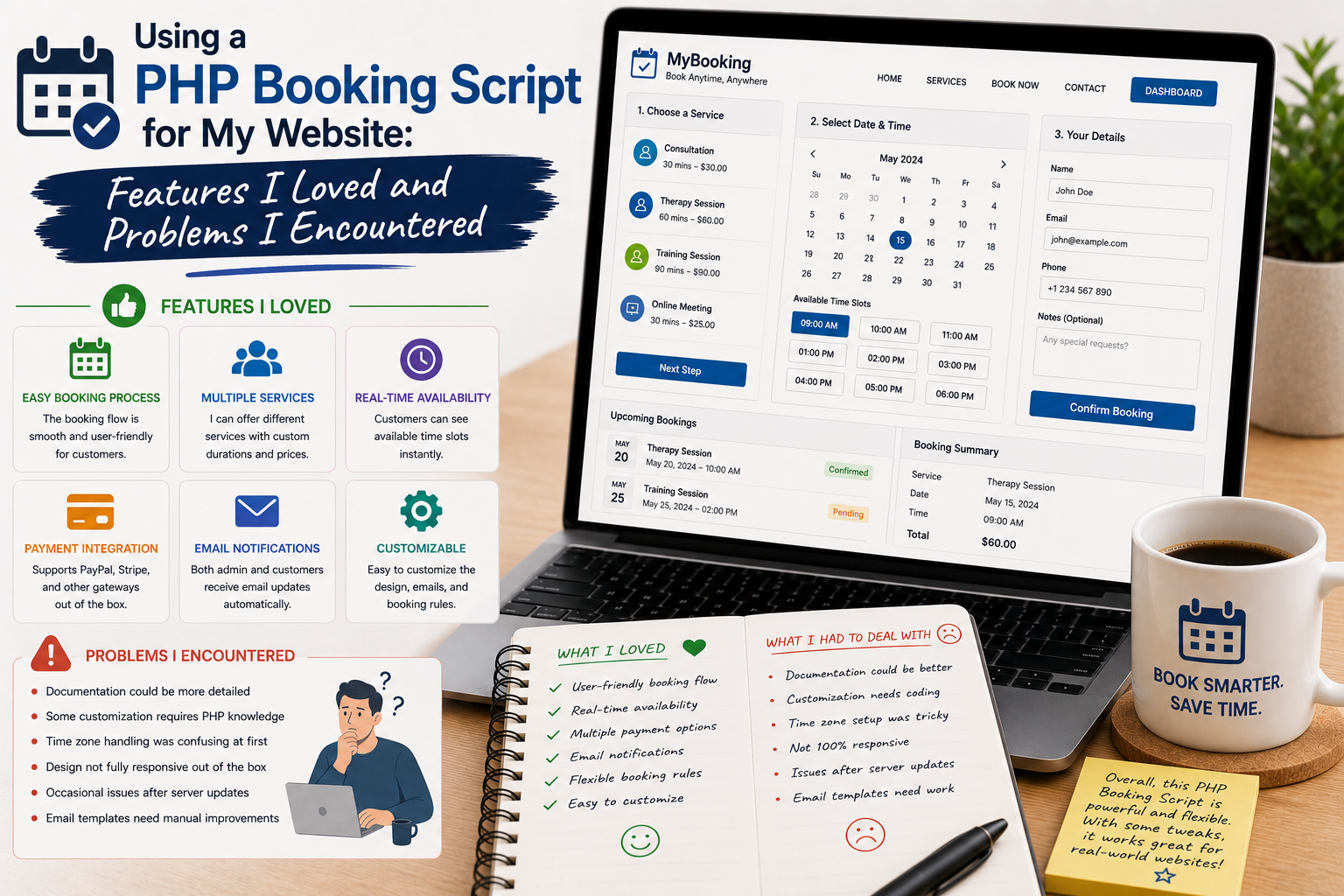
When I decided to add an online booking system to my website, my first thought was to build everything myself. I knew enough PHP and MySQL to create forms and database tables, but I quickly realized that a complete booking system involves far more than collecting a customer’s name and preferred date.
I needed availability management, booking records, notifications, pricing, customer information, and an administration interface. Instead of starting from an empty project, I decided to try a ready-made PHP booking script.
The experience saved me development time, but it also introduced several challenges I did not anticipate.
Why I Chose a PHP Booking Script
My website needed a way for visitors to request or reserve services online.
I wanted customers to see available options, choose a date, enter their information, and receive confirmation without having to contact me manually for every booking.
A ready-made PHP booking script seemed like a practical solution.
There are many booking and appointment scripts available through commercial marketplaces, including solutions built with PHP frameworks and MySQL. CodeCanyon, for example, currently offers numerous PHP booking and appointment applications.
My objective was not to find the script with the longest feature list.
I wanted something that could handle the basic workflow reliably.
Installation Was Easier Than Building From Scratch
The first advantage became obvious during installation.
Instead of spending days designing database tables and building an administration panel, I had a functional starting point.
After configuring the server requirements, database connection, and application settings, I could begin experimenting with the booking workflow.
That immediately saved time.
However, I learned that installation requirements should be checked carefully before purchasing a script.
PHP version, MySQL version, server extensions, framework requirements, and hosting configuration can all affect whether a script works correctly.
The Booking Calendar Was My Favorite Feature
The calendar was probably the feature I liked most.
Instead of asking visitors to send an email with their preferred date, I could present availability through a structured interface.
This made the process feel more professional.
I could think about bookings in terms of dates, times, and availability rather than manually reading messages.
For customers, that meant fewer steps.
For me, it meant fewer repetitive conversations.
Availability Management Was More Complicated
The next challenge was availability.
At first, I assumed I could simply mark a date as available or unavailable.
Real-world scheduling was more complicated.
Some services required specific time slots.
Others had different durations.
Certain dates needed to be blocked.
There were also situations where multiple bookings could occur on the same day.
I learned that the booking rules should be defined before configuring the software.
Otherwise, it is easy to create confusing scheduling behavior.
Customer Information Needed Careful Design
The booking form was another area I spent considerable time reviewing.
Initially, I wanted to collect as much information as possible.
Then I realized that a long form can discourage customers from completing a booking.
I reduced the form to the information that was genuinely necessary.
Name, contact information, booking details, and a few relevant questions were enough for my initial workflow.
This made the process cleaner.
My lesson was simple:
A booking form should make reservations easier, not turn them into paperwork.
Email Notifications Were Essential
Automated notifications quickly became one of the most important features.
I wanted customers to know that their booking had been received.
I also needed an administrator notification so that new reservations would not be overlooked.
Testing email delivery was therefore essential.
I discovered that successful form submission does not necessarily mean the email will arrive.
Server configuration, SMTP settings, spam filtering, and email provider policies can all affect delivery.
For a real booking website, I would never skip email testing.
Payment Integration Added Complexity
Payment processing was one of the more complicated areas.
A booking system may need to support deposits, full payments, or payment after confirmation.
The available payment gateways can also vary depending on the country and business model.
I learned not to choose a booking script based solely on its payment icons.
It is more important to verify whether the specific payment gateway I need is actually supported and maintained.
Payment testing should also happen in a safe test environment before accepting real customer transactions.
The Admin Panel Was Extremely Useful
The administration panel saved a lot of time.
Instead of working directly with database records, I could view bookings, customer details, schedules, and other information through a graphical interface.
This made everyday management much easier.
A good admin panel should not merely display database records.
It should help administrators quickly understand what needs attention.
That became one of the criteria I used when evaluating the script.
Customization Was Not Always Simple
The biggest challenge was customization.
The default interface worked, but I wanted it to match the rest of my website.
Changing colors and logos was relatively straightforward.
More significant changes were different.
When I wanted to modify functionality or layout beyond the available settings, I needed to understand the script’s PHP structure and framework.
This taught me an important lesson:
A ready-made script saves development time, but customization still requires technical knowledge.
Mobile Usability Mattered More Than Expected
I tested the booking process on my smartphone and immediately noticed areas that needed improvement.
Calendars, dropdown menus, buttons, and form fields all need to work comfortably on smaller screens.
Customers often make quick bookings from mobile devices, so a booking system that works only on desktop is not practical.
I therefore included mobile testing as part of every major change.
Security Became a Priority
A booking system can collect names, email addresses, phone numbers, dates, and potentially payment-related information.
That means security cannot be treated as an afterthought.
I made sure to use strong administrator credentials, keep the software updated, maintain backups, and use secure hosting.
I also avoided downloading scripts from unofficial websites.
Using a modified or nulled PHP script can introduce unknown code into an application that handles customer information.
That is a risk I was not willing to take.
The Biggest Problem I Encountered
The biggest issue was not a specific technical error.
It was discovering that the script’s default workflow did not perfectly match my business requirements.
This is common with ready-made software.
A script may advertise dozens of features, but what matters is whether its actual workflow fits the way you operate.
I learned to distinguish between features I wanted and features I actually needed.
That helped me avoid unnecessary customization.
Where to Download a PHP Booking Script
If you want to explore ready-made PHP booking solutions, you can browse commercial scripts through CodeCanyon:
Browse PHP Booking Scripts on CodeCanyon
Before purchasing, I recommend checking the script’s PHP and database requirements, framework, update history, documentation, support policy, license, and recent customer feedback.
Do not assume that an older script will work perfectly with the newest PHP version.
I also strongly recommend avoiding cracked or nulled copies. A booking system can process customer information and potentially payments, making software from an untrusted source particularly risky.
What I Would Do Differently
If I started another booking project, I would define the complete booking workflow before selecting the script.
I would answer questions such as:
- What exactly can customers book?
- How long does each service take?
- Can two customers book simultaneously?
- Which dates or times are unavailable?
- Is payment required immediately?
- Is approval required?
- What notifications should customers receive?
- What information should administrators see?
Once those questions were answered, choosing a suitable script would be much easier.