
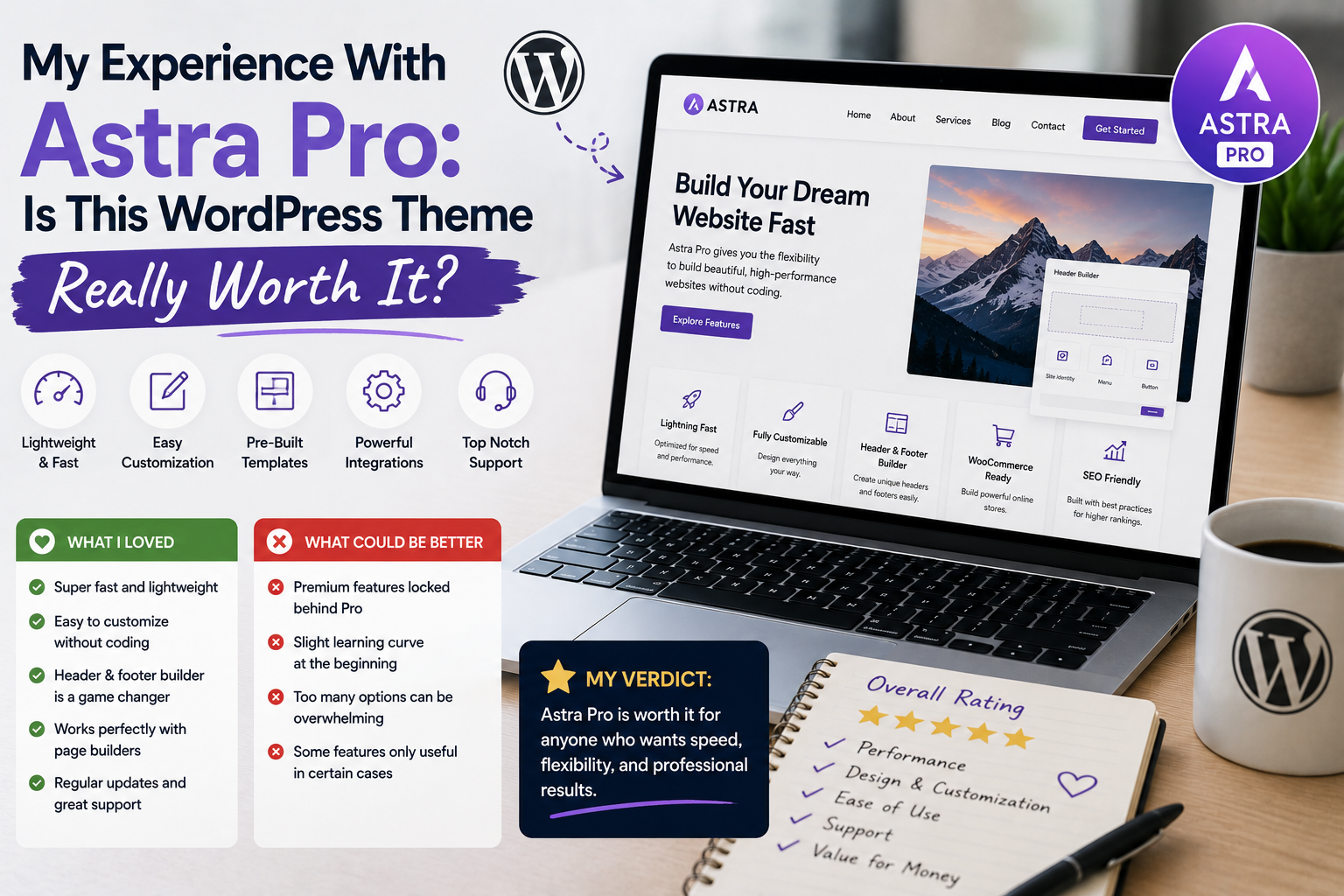
When I started building WordPress websites, I spent a lot of time switching between themes. Some looked impressive but were difficult to customize, while others were lightweight but lacked some of the design controls I wanted.
Eventually, I decided to try Astra Pro to see whether a premium WordPress theme would actually improve my workflow.
Astra is developed by Brainstorm Force and is available as a free WordPress theme with additional paid Pro features. The official WordPress directory currently lists more than 1 million active installations and a 4.9/5 rating.
After spending time configuring it and using it for real website projects, I found that Astra Pro has several strengths—but it is not automatically the right choice for every website.
Why I Tried Astra Pro
My main reason for trying Astra Pro was flexibility.
I wanted a theme that could work for different types of websites without forcing me to start from scratch every time.
I was particularly interested in better control over headers, footers, typography, colors, layouts, and other design elements.
Astra Pro is designed as a premium add-on to the free Astra theme, unlocking additional customization and design features. The developer specifically highlights advanced controls for areas such as headers, footers, sidebars, menus, typography, and colors.
That sounded useful for the kind of websites I was building.
Installation Was Straightforward
The first thing I liked was that I did not have to completely replace the free Astra theme with an entirely different product.
The basic Astra theme can be installed from the official WordPress repository, while Astra Pro is provided as a premium add-on plugin after purchase.
After installing Astra and the Pro add-on, I activated the license through the WordPress dashboard.
The process was relatively straightforward, although beginners may need to spend a little time understanding the difference between the free theme and the Pro add-on.
Customization Was the Biggest Advantage
The feature I appreciated most was customization.
I could make much more detailed adjustments to the website without constantly editing theme files.
Headers and footers became easier to control, and I had greater flexibility over typography, colors, spacing, and layouts.
This was particularly useful when creating different websites.
Instead of adapting my content to the limitations of the theme, I could make the theme better match the website.
That difference may seem small, but when you manage multiple projects, it can save a surprising amount of time.
I Liked Its Flexibility With Page Builders
Another reason Astra caught my attention was its compatibility with popular page-building tools.
The official WordPress listing mentions compatibility with builders including Spectra, Elementor, and Beaver Builder.
In my experience, this flexibility made Astra useful for different workflows.
Someone who prefers the WordPress block editor can use Astra without relying entirely on a visual page builder, while users who prefer a page builder have additional options.
That flexibility makes the theme suitable for a wide variety of projects.
The Starter Templates Were Helpful
Another feature I found useful was the availability of pre-built templates.
Instead of creating every page from an empty canvas, I could start with an existing structure and customize it.
Astra’s documentation explains that Starter Templates can be imported using the appropriate plugin.
For me, this was especially helpful when experimenting with new website ideas.
It did not eliminate the need for customization, but it provided a useful starting point.
Performance Was One of My Concerns
One reason I was interested in Astra was its reputation for being lightweight.
The official WordPress listing describes Astra as performance-focused and highlights clean code and a mobile-first approach.
However, my experience also reminded me that theme performance is only one part of overall website speed.
Plugins, images, hosting, caching, databases, scripts, and configuration can all affect performance.
Therefore, I would not install Astra Pro and assume the website will automatically be fast.
I still optimize images, review plugins, and pay attention to the hosting environment.
More Features Can Mean More Complexity
One thing that surprised me was how many options became available.
At first, this was exciting.
But after experimenting with the settings, I realized I did not need everything.
I eventually adopted a simple approach: activate and configure only the features that solve a real problem.
This made the website easier to manage and prevented me from spending time experimenting with unnecessary settings.
What About WooCommerce?
For anyone building an online store, compatibility with e-commerce tools can be important.
Astra’s official WordPress listing specifically mentions WooCommerce compatibility and store-oriented features.
I found this useful because it means the theme can serve more than conventional blogs or business websites.
However, I would still evaluate the complete WooCommerce setup—including plugins, hosting, payment systems, and product configuration—rather than expecting the theme alone to solve everything.
The Price Is an Important Consideration
This is where my answer becomes more nuanced.
Astra Pro can be valuable, but whether it is worth paying for depends on how much you actually need its premium features.
Current official pricing varies by plan and promotional offer. The Astra website currently lists an Astra Pro add-on option at $69/year for up to three websites, as well as a lifetime option at $249 one-time; prices and promotions can change.
The developer also offers a 14-day money-back guarantee on its current plans.
For someone building several websites, the additional customization can potentially justify the cost.
For a simple personal blog, the free Astra theme may already be enough.
What I Would Improve
Astra Pro is not perfect.
The number of customization options can initially feel overwhelming.
Beginners may need time to understand which settings belong to the core theme and which require Pro or additional plugins.
I also think users should avoid enabling every available feature simply because it exists.
A simpler configuration is often easier to maintain.
Where to Download Astra
If you want to try the free Astra theme, I recommend downloading it directly from the official WordPress Theme Directory:
Download Astra Free from WordPress.org
For Astra Pro, use the official Brainstorm Force website. The Pro add-on is available to customers through their account after purchase; the developer specifically states that the Pro plugin files can be downloaded from the Brainstorm Force Store.
Get Astra Pro from the Official Website
I strongly recommend avoiding unofficial, cracked, or “nulled” copies. Apart from licensing issues, modified WordPress files can introduce security and maintenance problems.
Final Verdict: Is Astra Pro Worth It?
After using Astra Pro, I understand why it has become such a popular WordPress theme.
Its biggest strengths for me are flexibility, customization, compatibility, and the ability to create different types of websites without starting completely from scratch.
But I would not say everyone needs Astra Pro.
If the free Astra theme already provides everything you need, there may be no reason to upgrade.
If you manage business websites, multiple projects, client sites, or websites that require detailed design control, the Pro features can make the investment much easier to justify.