
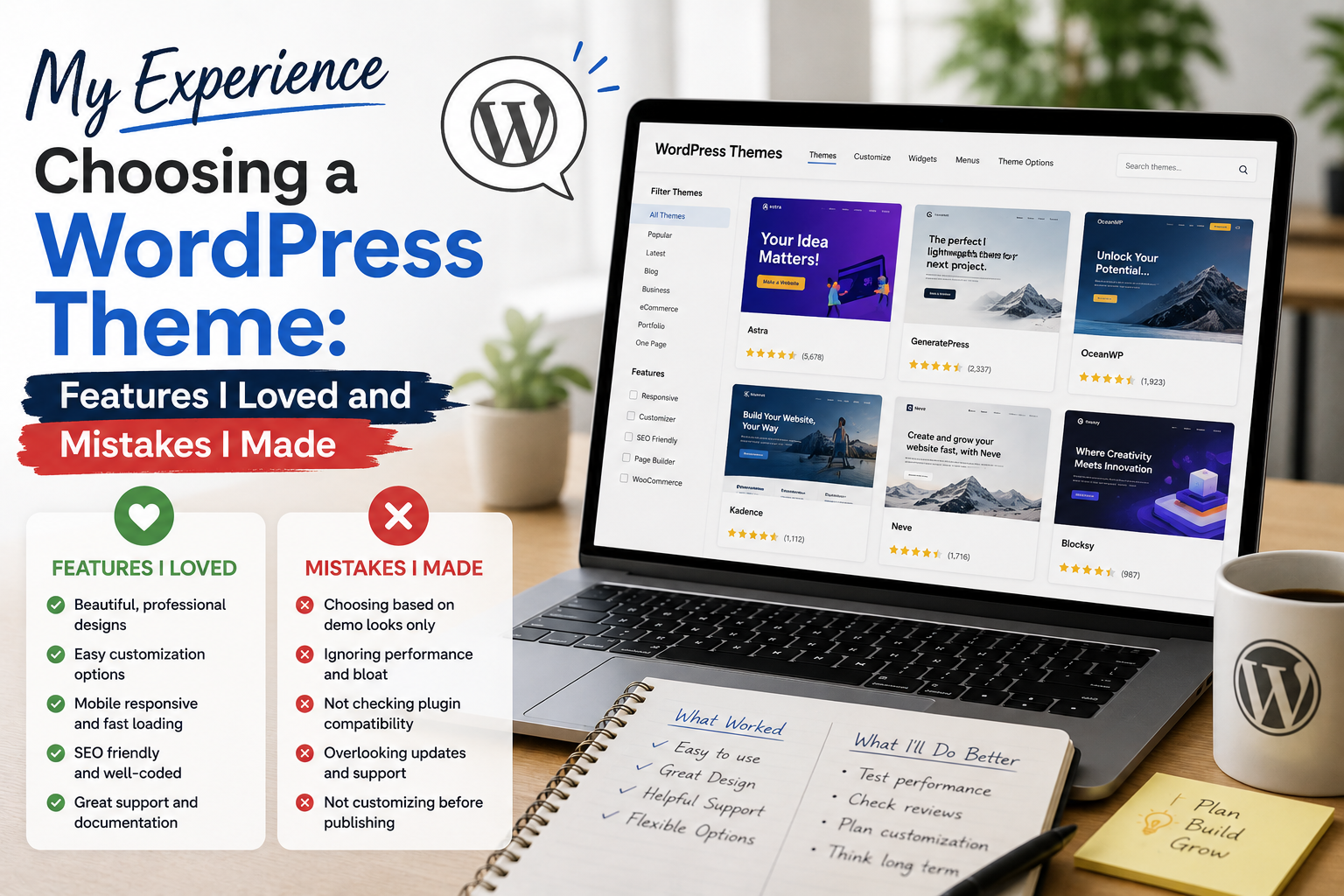
Choosing a WordPress theme sounded easy when I started building websites. I assumed I only needed to find a design I liked, install it, and begin publishing content.
That assumption did not last very long.
After trying several themes, changing layouts, testing customization options, and occasionally choosing themes for the wrong reasons, I learned that selecting a WordPress theme is not simply a design decision. It can influence how easily a website can be managed, customized, and maintained.
Here is what my experience taught me.
I Initially Chose Themes Based on Appearance
My first mistake was focusing too heavily on screenshots.
If a theme had an attractive homepage, modern typography, and impressive demo pages, I immediately became interested.
The problem was that a beautiful demonstration did not necessarily mean the theme was the right choice for my website.
WordPress explains that themes control the visual presentation of website content, including layouts, typography, colors, sidebars, and other elements.
That sounds straightforward, but I eventually discovered that the most attractive theme is not always the easiest one to work with.
Customization Became My Favorite Feature
The feature I appreciated most was customization.
I liked being able to adjust fonts, colors, layouts, menus, headers, footers, and other visual elements without having to modify every part of the code manually.
This became especially useful when I wanted to create a website that looked different from the theme’s original demo.
Modern WordPress block themes can provide even greater control through the Site Editor, templates, styles, and block-based customization.
Once I discovered this flexibility, I became much more interested in themes that allowed me to make changes easily.
I Learned That Too Many Features Can Be a Problem
One of my biggest surprises was discovering that more features do not necessarily create a better experience.
Some themes offered an enormous number of settings.
At first, this seemed fantastic.
I could adjust almost everything.
But eventually, I found myself spending too much time exploring options that I never actually needed.
I learned to distinguish between useful flexibility and unnecessary complexity.
Today, I prefer a theme that gives me control over the important parts of my website without overwhelming me with settings.
The Demo Was Not My Website
This was probably my most important lesson.
A theme demo can look spectacular because it has professionally prepared images, menus, sample content, layouts, and carefully configured settings.
When I installed the theme on my own website, the result looked completely different.
At first, I thought something had gone wrong.
Eventually, I realized that the theme was only providing the framework.
My own content, images, categories, menus, plugins, and configuration would determine the final appearance.
Now, I treat theme demos as examples rather than promises.
Compatibility Became a Major Consideration
Another lesson was compatibility.
My websites often use plugins for different functions, so I need a theme that works properly with the rest of the WordPress installation.
Changing themes can affect layouts, widgets, menus, page templates, and other elements.
For that reason, I became more careful about testing a new theme before using it on an important website.
I also learned that maintaining a backup before major changes is a sensible precaution.
I Started Paying Attention to Updates
At first, I barely considered theme updates.
I simply installed a theme and concentrated on creating content.
That changed after I realized that WordPress websites are constantly evolving.
Themes may receive updates for compatibility, bug fixes, improvements, or new functionality.
WordPress’s documentation notes that installed themes can receive updates when updates are provided by their authors.
Today, update history is one of the things I consider before choosing a theme.
A theme that looks great but is poorly maintained is not particularly attractive to me.
Support and Documentation Matter
I also underestimated the value of documentation.
When I encountered a confusing setting, clear documentation could save me considerable time.
Good documentation explains how features work and helps users avoid unnecessary trial and error.
Support can be equally valuable when dealing with a problem that cannot be solved simply by reading instructions.
I learned that when comparing themes, I should look beyond screenshots and feature lists.
The quality of documentation and ongoing support can make a significant difference.
I Would Not Ignore Performance
Another mistake I made was concentrating so much on design that I neglected performance.
A website needs to look good, but it also needs to provide a pleasant experience for visitors.
A theme can contain numerous design elements, scripts, styles, and features. The overall performance of a website can also be influenced by hosting, plugins, images, and configuration.
I therefore became more cautious about themes that try to do everything.
Sometimes a simpler theme is a better foundation.
Free Does Not Automatically Mean Bad
My experience also changed my opinion about free themes.
Initially, I assumed premium themes were automatically better.
That is not necessarily true.
The official WordPress Theme Directory contains thousands of free themes, with search filters for layouts, subjects, and features. WordPress also states that themes in its official directory are reviewed against theme requirements.
For some websites, a well-maintained free theme can provide everything needed.
A premium theme becomes more attractive when its additional features, support, customization, or workflow improvements genuinely justify the cost.
My Biggest Mistakes
Looking back, I made several mistakes when choosing themes:
- I focused too much on screenshots.
- I assumed the demo would look identical on my website.
- I chose themes with features I never used.
- I did not initially pay enough attention to updates.
- I underestimated documentation and support.
- I did not always test compatibility before making changes.
- I sometimes prioritized appearance over simplicity.
Each mistake helped me develop a better selection process.
How I Choose a Theme Today
Today, I start with the website’s purpose.
Is it a blog? Business website? Portfolio? News site? Online store?
Then I consider the features I actually need.
After that, I look at customization, compatibility, performance, documentation, support, update activity, and ease of management.
Only after those factors do I worry about whether the theme looks attractive.
This approach has saved me from choosing themes simply because their demos caught my attention.
Where to Download WordPress Themes
For free themes, I recommend using the official WordPress Theme Directory rather than downloading themes from unknown websites.
Download WordPress Themes from the Official WordPress Theme Directory
WordPress provides an official installation process through the WordPress dashboard, and themes can also be uploaded as ZIP files when appropriate.
For a paid theme, the safest approach is to download it directly from the theme developer or the authorized marketplace where you purchased it. I would avoid unofficial or “nulled” copies because their files may have been modified.